
Moodle
Platform Support

For any issue related strictly to the Moodle e-learning platform:

  • Problems accessing your Moodle account
  • Difficulties accessing courses
  • How to use the Moodle platform

Please send a support request (ticket) to the following address: moodle.support@unmb.ro.


Go to Moodle platform Request Moodle Assistance

Accessing the Moodle Platform

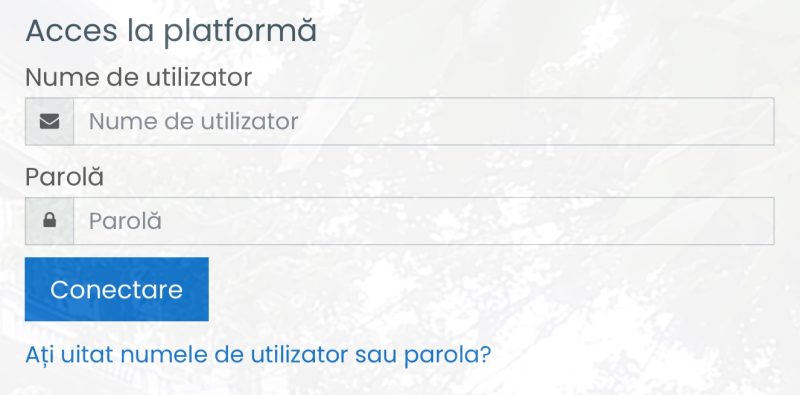
To login to Moodle go to www.unmb.ro and navigate to Cont Student. Or you can access the platform directly at https://moodle.unmb.ro/ 

Use your username (e.g., ion.gheorghe – without @student.unmb.ro) and the password you received.

Moodle password/ username recovery instructions

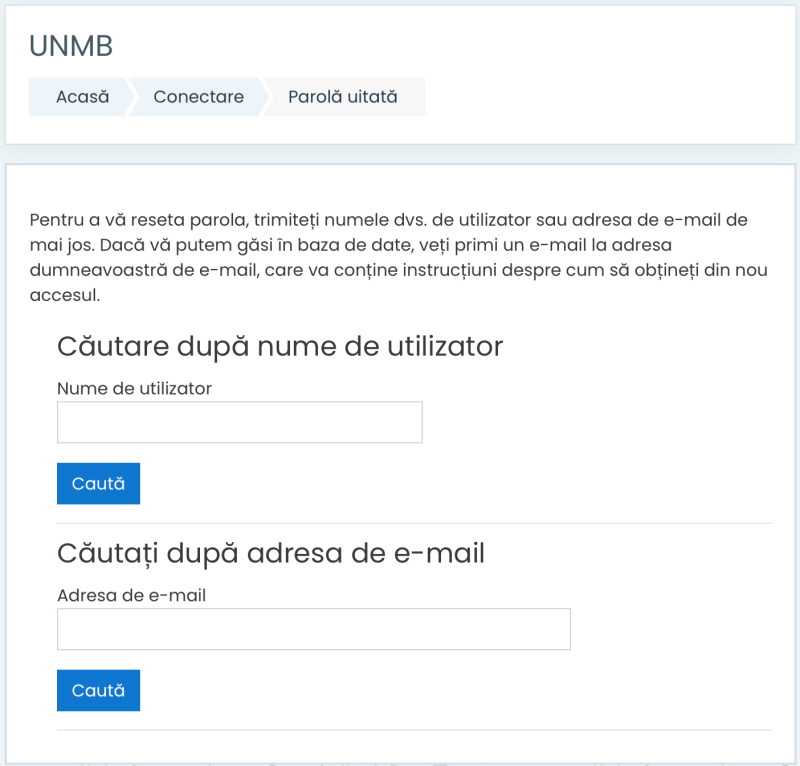
  1. Click the link „Forgot your username or password?” (Ați uitat numele de utilizator sau parola?).

  2. Search for your account by entering your username (without the @student.unmb.ro suffix).

  3. You will receive an email at your institutional address. Click the link in that email and enter a new password, following the displayed instructions.

f you attempt the password reset and do not receive the email (after checking your Spam/Junk folder), it likely means an account has not yet been created for you on the Moodle platform.

In this case, please send an email request to have an account created to: moodle.support@unmb.ro.